

*** THIS PRODUCT IS NO LONGER IN DEVELOPMENT. ***
*** THIS WEBSITE FOR REFERENCE PURPOSES ONLY. ***
Free 15 Day Trial of OutDisk version 4.90.20. Requires Windows 10/8/7 and web hosting with server side includes enabled. Outlook add-in requires Outlook 2019/2016/2013/2010.
End User License Agreement. Uninstall OutDisk by running the installer package and choosing "Uninstall," or through the Windows Add/Remove Programs service. Requires a web hosting service, not included.

View OutDisk Video Demo
View more OutDisk product images.
Outdisk SFTP is a tool for creating an internal file transfer service. It simplifies sending and receiving large files with an emphasis on email users. OutDisk operates from the Windows desktop, while an Outlook add-in makes it easy for email users to include links to large files in messages. If OutDisk detects that file attachments exceed a size limit that you specify, it replaces the attachments with a link to a download page while uploading the files to your server using Secure FTP. Attachments can be manually or automatically encrypted with a password.
OutDisk is a good choice for system administrators and individuals who are well versed in web server and secure FTP technologies. It is not managed service, so it is not recommended for technically inexperienced people.
For Microsoft Outlook users, OutDisk simplifies the uploading of files.
To use Outlook add-in, attach files to your email as usual, and then click the "Use OutDisk" button, and send your email.
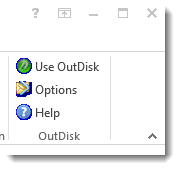
It automatically removes large files from the email, uploads them to your server, and inserts a download link into the email message. Download links may be inserted at either the top or bottom of the email mesages, or at a position in the message where the sender inserts a token.
There are several options in OutDisk specifically for Outlook users, including a file size threshold that will automatically activate OutDisk. You can also customize the default text that is inserted around the URL link in the email message.
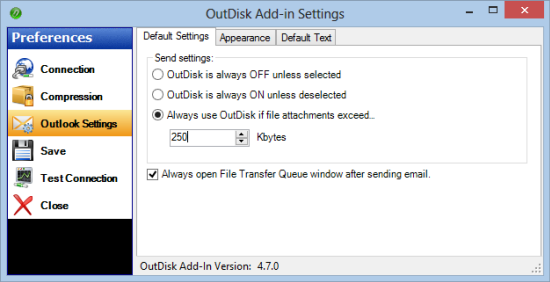
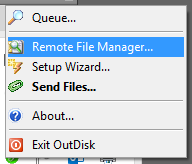
OutDisk can also be used from the Windows Desktop. A desktop File Drop icon lets you "drag and drop" files into OutDisk.
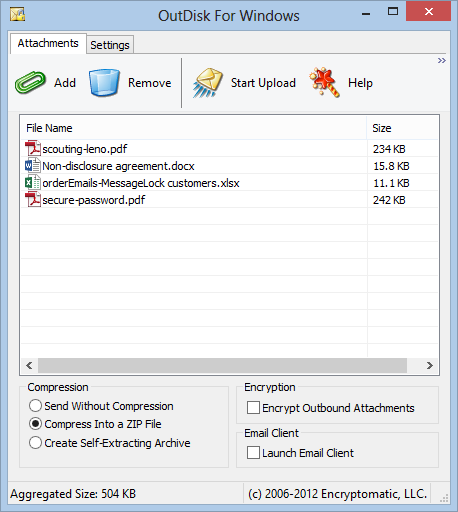
When the user selects "Start Upload," OutDisk for Windows sends the files to your web server. If the "Launch Email Client" box is selected, OutDisk will invoke your email client and pass the download link directly to a new email message. If this box is not checked, OutDisk will copy the link to the clipboard.
Winzip compatible AES 256-bit zip encryption is supported.
To use OutDisk, connect it to your file hosting service. You will need a web hosting service that provides HTTPS access to the files, and supports PHP or ASP. If you don't have your own server, a standard web hosting service like Dreamhost will work well with OutDisk.
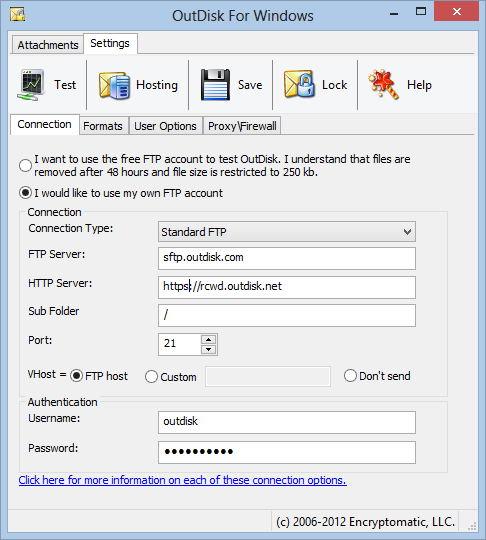
OutDisk uploads each batch of files to a unique sub folder named with high entropy for security. You can customize the landing page that recipients see when they follow your link. OutDisk will also automatically upload an index.shtml page into the directory which you can customize with your own text and logo. This page can display your logo, and the files that are available for download. The user then clicks on the files and downloads them to their disk using their web browser and standard http or https.
See below for an example of the OutDisk download landing page, which can be customized with a little bit of web page experience.
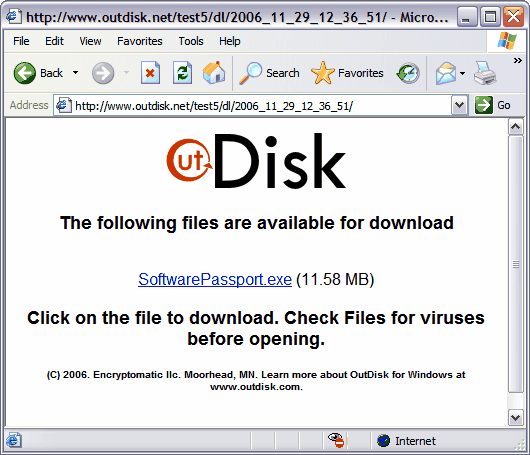
OutDisk's landing pages can be branded with your logo by anyone who has a bit of knowledge editing html.
This product is discontinued and is no longer offered for sale.


© 2005, Encryptomatic LLC. Fargo, ND, USA.