
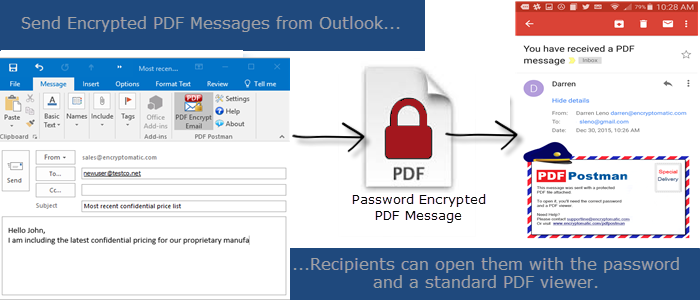
PDF Postman lets you send a private encrypted email message to anyone, in a way that won't bother the recipient with special software. Anyone with a standard PDF viewer on their device can open a PDF Postman encrypted file if they know the password.
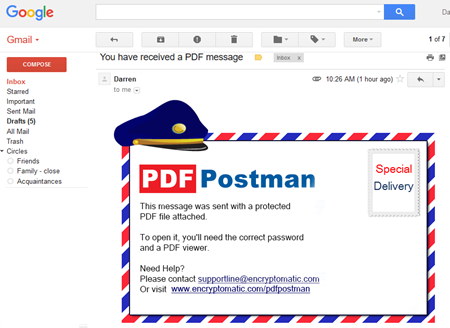
PDF Postman Email as the recipient sees it in her Inbox.
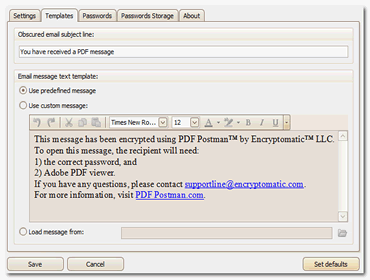
Customize the PDF Postman cover message from the Template page in settings.
PDF Postman is the easiest way to send a secure message from Outlook. Nearly anyone on any computer or mobile device can receive a PDF Postman message without installing any special software. All they need is the password. Click here for a full list of PDF Postman's features and benefits.
PDF Postman secures outbound email messages and file attachments using the Portable Document Format or PDF envelope. PDF Postman leverages the wide adoption of PDF Reader software, eliminating the need for special software on the recipient's computer.
In addition to converting the email and attachments to secure PDF, PDF Postman also gives you the option to convert attachments-only to secure PDF, or convert attachments to an unsecured PDF email attachment.
To send a secure message, just type your Outlook email message as you normally would, select the "PDF Encrypt Email" button from the Outlook tool bar, and send your message.
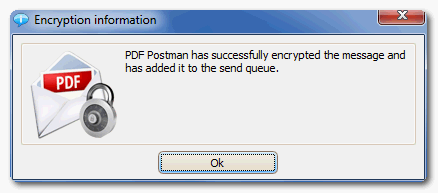
PDF Postman will convert your Outlook email and attachments into to a PDF file, then apply strong US Government approved AES-256 bit encryption.
PDF Postman is an alternative to complex email encryption programs that may require exchanging public keys and buying certificates from a certificate authority, installing special software or surrendering personal information during a registration process.
Whether you are a small office/home office user, or a corporate professional with an experienced IT department, you will appreciate the ease with which PDF Postman can be installed and used.
More and more, the people you need to communicate with are utilizing a variety of devices: laptops, iPads, mobile phones, etc. You need to reach them securely on whatever device they happen to be using.
PDF Postman's secure PDF files are compatible with PDF viewers available for the Windows, Mac, Linux, Solaris, and popular mobile platforms like Android. Leveraging the ubiquity of the PDF format means your recipient already has the software needed to open your message.
To open your PDF Postman file, recipients simply click on the PDF file to open it. Their PDF viewer will prompt them for the password.
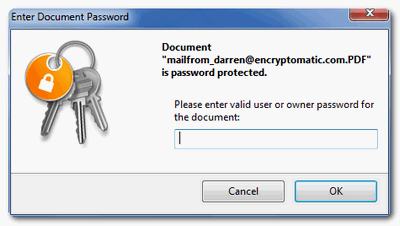
Click here for a tutorial on how to open encrypted PDF files and to download a sample encrypted PDF file that was created by PDF Postman.
Don't inconvenience important clients with expensive and complex email encryption solutions, or centralized services that gather their personal information. Instead, let PDF Postman deliver your emails securely to any device the recipient wants to use.


© 2005, Encryptomatic LLC. Fargo, ND, USA.