

How to open encrypted PDF files
The PDF specification includes support for AES-128 and AES-256 bit encryption. Compliant PDF viewers are able to decrypt .pdf files that have been encrypted. Strong encryption makes the PDF format a practical way to protected important documetns and files. The PDF Postman add-in for Microsoft Outlook leverages PDF encryption and lets you easily convert your important email messages into an encrypted PDF document that virtually any anyone can decrypt on any device or platform.
The process of opening opening an encrypted PDF file is easy. The recipient only needs to click on the file. If a PDF viewer is present on the device it will prompt the recipient for a password. If the recipient does not have a .pdf viewer, they can easily obtain one from their favorite app store, usually for free.
To experience the process yourself using the PDF viewer present on your device right now, download this sample encrypted PDF file that was created by PDF Postman.
The password is: test123

Nearly every computing device has a PDF reader installed. Many free PDF viewers are available, such as Adobe Reader or PDF Xchange.
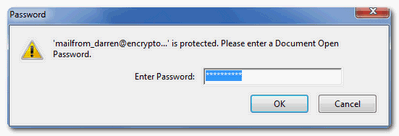
If you click on an encrypted PDF file with Adobe Reader present on your computer you will see the following prompt. Enter the password to open the file:
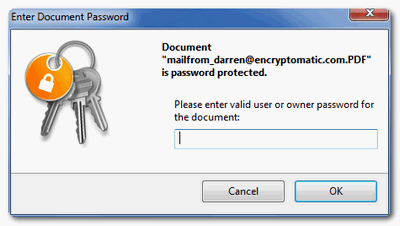
If you use the popular PDF Xchange viewer, you will see the a slightly different prompt, but the process is the same:
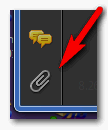
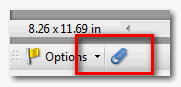
With PDF Postman, email file attachments are embedded within the PDF file. This means that the embedded files can be extracted from the PDF and saved in their original format. To do this in Adobe Reader, click on the paper clip icon in the lower left corner of the viewer to reveal attachments.
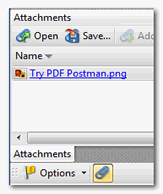
To access the attachments, either double click on them, or "drag" them to the desktop.
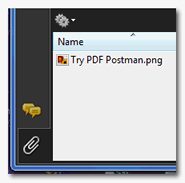
To access embedded file attachments in a PDF file with the PDF X-Change viewer, first click on the paper clip icon to reveal the files. Click on the file, and select either "Open" to open the file, or "Save" to save the file to your disk.
Don't inconvenience your clients with expensive and complex email encryption solutions or services that gather their personal information. Instead, let PDF Postman deliver your emails securely to any device the recipient wishes to use.
For more information email sales at encryptomatic.com or
call 1-651-815-4902 x1


© 2005, Encryptomatic LLC. Fargo, ND, USA.